Views: 0 Author: Site Editor Publish Time: 2026-11-30 Origin: Site


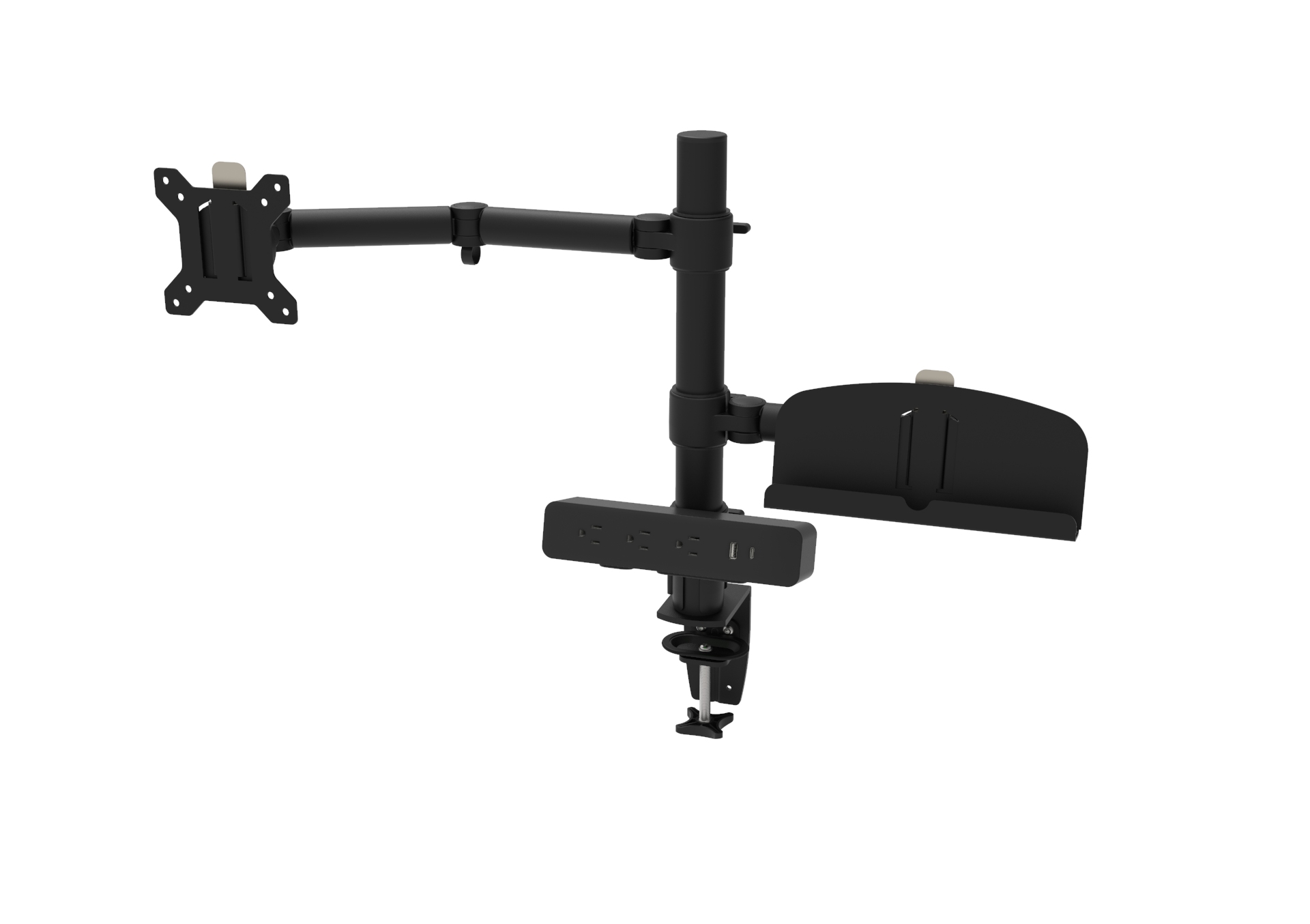
As modern offices rely on multiple screens for design, data analysis, administration, and other professional tasks, choosing the right Multi Monitor Arm has become an important part of workstation planning. A suitable monitor mounting solution can help organize multiple displays, free up desktop space, and provide greater flexibility in screen positioning.
For office furniture manufacturers, office equipment distributors, and commercial workspace suppliers, selecting a multi-screen monitor arm involves more than checking how many monitors it can hold. Screen size, weight capacity, VESA compatibility, mounting methods, adjustment range, and desk construction all need to be considered.
This guide explains the key factors to evaluate when choosing monitor arms for office desks and commercial workstation projects.
Multiple monitors are common in many professional environments. Financial teams, design departments, control rooms, and administrative offices often need more than one display to manage different applications and information simultaneously.
However, placing several monitors directly on their original stands can take up considerable desktop space. It may also limit how easily users can arrange their screens.
A multi-monitor mount for workstations offers several practical advantages:
Better desk organization: Mounting screens above the desktop can free up space for keyboards, documents, and other equipment.
Flexible screen positioning: Adjustable arms allow users to position displays according to their working preferences.
Coordinated monitor layouts: Multiple screens can be arranged side by side or in other configurations, depending on the arm design.
Cleaner workstation appearance: Integrated cable management can help organize monitor cables and create a more professional setup.
More consistent furniture solutions: Manufacturers can incorporate compatible monitor arms into workstation packages for different office applications.
For commercial projects, these benefits make monitor arms an important accessory to consider during the workstation design stage.
The first step is to identify how many monitors the workstation needs to support.
Common configurations include:
Dual-monitor setup: Two screens arranged side by side, suitable for general office work, administration, and multitasking.
Triple-monitor setup: Three displays for users who need to view several applications or information sources simultaneously.
Multi-screen configurations: More extensive arrangements for specialized professional environments where several displays are required.
The number of screens is only part of the decision. Their arrangement also matters.
For example, two monitors positioned horizontally require a different layout from a combination of side-by-side and vertically stacked screens.
When evaluating a multi-screen monitor arm, manufacturers and distributors should check whether the arm structure supports the intended number of displays and whether the available adjustment mechanisms allow practical positioning.
Monitor size and weight are two essential specifications.
A monitor arm may support a particular number of screens, but that does not automatically mean it can accommodate every monitor within that category.
Before selecting a product, check:
Supported monitor size range
Maximum weight capacity per arm
Total supported load, where specified
Compatibility with different monitor shapes
Clearance between adjacent displays
Pay particular attention to larger or heavier monitors. Ultrawide displays and professional monitors may require different support arrangements from standard office screens.
For multi-monitor systems, it is important to check the weight limit of each arm rather than relying only on a combined load rating.
Manufacturers should also consider whether the intended configuration leaves enough clearance for screens to move without hitting one another.
VESA compatibility determines whether a monitor can connect to the mounting head of a monitor arm.
Common VESA mounting patterns include:
75 × 75 mm
100 × 100 mm
Before choosing a multi-monitor arm, verify the mounting pattern on each monitor and compare it with the arm's supported VESA specifications.
Some monitors have recessed mounting areas or require additional adapters, so it is worth checking the physical connection rather than relying only on screen size.
For furniture manufacturers and equipment distributors, VESA compatibility is particularly important when supplying monitor arms as part of a complete workstation package.
A suitable mounting system should accommodate the intended monitor models without requiring unexpected modifications.
The mounting method affects both installation and compatibility with the desk.
Common options include:
Desk Clamp Mount
A clamp attaches to the edge of the desktop. It is a practical choice for many office desks because it generally avoids the need to drill a mounting hole.
However, the desktop thickness, edge profile, and available clamping space must be checked before installation.
Grommet Mount
A grommet installation uses a hole in the desktop to secure the monitor arm. It can provide a more integrated mounting arrangement, especially when the workstation is designed with suitable mounting positions.
When selecting a mounting method, consider:
Desktop thickness
Desktop material and structural strength
Available edge clearance
Cable openings and existing desk accessories
Installation and maintenance requirements
For workstation manufacturers, planning mounting positions during the design stage can help avoid conflicts with power modules, cable trays, and other desktop components.
A good monitor mounting solution should allow users to position their screens comfortably.
Depending on the mechanism, monitor arms may provide adjustments such as:
Height adjustment
Tilt
Swivel
Screen rotation
Arm extension and retraction
The required adjustment range depends on the monitor configuration and intended working environment.
For example, side-by-side displays should be easy to align, while users who frequently switch between viewing positions may benefit from a wider range of movement.
Mechanical spring and gas spring mechanisms are also worth comparing. Their suitability depends on the required load range, adjustment frequency, and product design.
For multi-monitor applications, manufacturers should pay attention to how the arms move together and whether users can make adjustments without creating interference between adjacent screens.
A multi-monitor arm can help free up desktop space, but its base and arm structure still need sufficient room.
Before selecting a model, consider the available mounting area, monitor depth, arm extension, and the distance between the desk and nearby partitions or walls.
Cable management is another important detail.
Multiple monitors can introduce several power and signal cables. Without suitable routing, these cables may become tangled or interfere with arm movement.
Look for monitor arm designs with practical cable routing features, and consider how the cables will connect with the workstation's wider cable management system.
For office furniture manufacturers, coordinating monitor arms with under-desk cable trays, wire baskets, and desk power solutions can create a more complete workstation design.
Different working environments have different display requirements.
Workspace Application | Suggested Considerations |
|---|---|
General office desks | Dual-monitor support, compact mounting footprint, easy adjustment |
Design and engineering workstations | Larger screens, suitable load capacity, flexible positioning |
Financial and data workstations | Multiple displays, clear screen alignment, stable support |
Shared commercial workspaces | Practical adjustment, compatible mounting, organized cable routing |
Specialized control environments | Screen quantity, viewing arrangement, and application-specific mounting requirements |
These are general selection considerations rather than fixed product specifications. The final choice should be based on the actual monitors, desktop construction, and user requirements.
For manufacturers and distributors, choosing a multi-monitor arm is also a product planning decision.
A suitable accessory should work with the workstation structure and meet the requirements of the intended market.
Consider the following points:
1. Product compatibility
Check that the monitor arm works with the desktop thickness, mounting arrangement, and intended monitor models.
2. Consistent product configurations
If supplying several workstation models, consider whether a common monitor arm platform can support multiple desk configurations.
3. Installation efficiency
Practical mounting methods and accessible adjustment mechanisms can make installation easier for furniture manufacturers and project installers.
4. Finish and appearance
The arm's materials, finish, and overall design should complement the workstation rather than look like an unrelated addition.
5. Market requirements
For products intended for the US market, review applicable product safety and material requirements based on the product design and intended use.
6. Supplier support
For OEM and ODM projects, discuss product specifications, customization possibilities, packaging, and compatibility requirements with the manufacturer before finalizing the design.
A well-selected monitor arm can become a useful part of a broader workstation accessory offering.
Choosing a multi-monitor arm requires a clear understanding of screen configuration, monitor size and weight, VESA compatibility, desk mounting options, adjustment range, and cable management.
For office furniture manufacturers and distributors, these factors should be considered alongside the overall workstation design. The goal is not simply to support more screens, but to create a functional, organized, and compatible working environment.
At Omni, our monitor arm range includes solutions for different workstation applications, including the Hi.Truss Multi-Screen Monitor Arm, along with dual-monitor and other monitor mounting options.
Whether you are developing a new office furniture collection or sourcing accessories for commercial workstation projects, selecting the right monitor arm starts with understanding the application and its technical requirements.
Explore Omni's Monitor Arm range to find solutions for your next workstation project.
A multi-monitor arm is a mounting system designed to support two or more computer monitors. It attaches to a desk or another suitable mounting surface and allows screens to be positioned using adjustable arms.
It depends on the product design. Some monitor arms support two screens, while other systems are designed for three or more. Always check the manufacturer's stated screen capacity and compatible configurations.
No. Compatibility depends on the monitor's VESA mounting pattern, screen size, weight, and the arm's specifications. Common VESA patterns include 75 × 75 mm and 100 × 100 mm, but these should always be verified before purchase.
A desk clamp attaches to the edge of a desktop, generally without requiring a drilled hole. A grommet mount is secured through a desktop opening. The right option depends on the desk design, thickness, and installation requirements.
Yes. They can be suitable for a wide range of commercial applications, including administrative offices, design workstations, and financial environments. The selected arm must match the monitor configuration and the workstation's structural requirements.
Manufacturers should evaluate screen capacity, weight limits, VESA compatibility, mounting methods, adjustment mechanisms, cable management, desktop compatibility, and supplier support. These factors help ensure that the monitor arm integrates properly into the overall workstation design.