Views: 0 Author: Site Editor Publish Time: 2025-12-17 Origin: Site


Choosing the right mount for a single monitor arm isn't just a matter of hardware — it affects ergonomics, desk integrity, visual clutter, and how easy it is to reconfigure your workspace. Clamp mounts and grommet mounts are the two most common attachment methods. Each has distinct advantages and trade-offs depending on desk type, monitor weight, permanence, and aesthetic preferences. This guide explains the practical differences so you can make an informed decision for the USA and EU office environments.
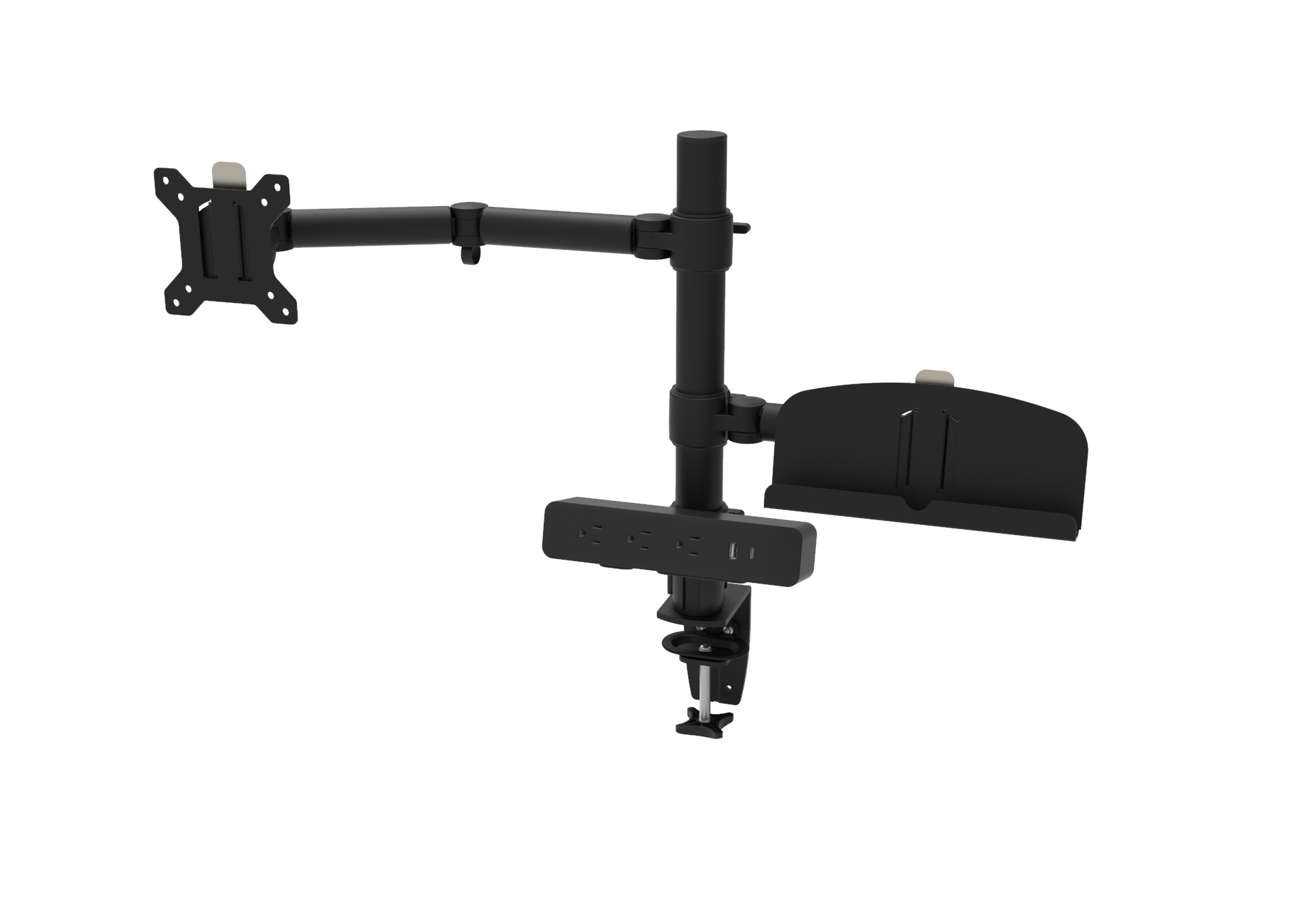
Clamp Mount: A bracket that clamps to the edge of the desk, secured by tightening a screw or lever. No holes required in the desk surface.
Grommet Mount: A bolt that passes through a pre-existing or freshly drilled hole (grommet hole) in the desk and secures from underneath, offering a through-desk anchor.
Both are commonly offered with modern single monitor arm systems; the choice usually comes down to desk construction, permanence, and required load capacity.
Clamp Mount: Works best on desks with an accessible edge and typical thickness ranges (commonly 0.5–2 inches / 12–50 mm). Many clamps are adjustable for thicker tops, and some models include spacer adapters for thin surfaces. Clamp mounts are ideal when you cannot or do not want to drill into the desk.
Grommet Mount: Requires a hole (usually 8–35 mm diameter depending on the arm). It's the best option for desks with limited or fragile edges or where a lower-profile, centralized mount is desirable. Works well with thicker desks where the clamp reach would be insufficient.
Clamp Mount: Modern clamps provide impressive strength, but their performance depends on edge geometry and desk material. With a solid desk edge, clamps can support heavy monitors, but there's slightly more risk of micro-movement or slippage over time compared to a through-bolt.
Grommet Mount: Offers excellent stability because the load is transferred directly through the desktop to the underlying structure. For heavy monitors, ultrawide or curved displays, grommet mounts can be preferable when the desk can be reinforced under the hole.
Clamp Mount: Minimal tools required — often just a screwdriver or included hex key. No drilling is necessary, making it user-friendly and reversible.
Grommet Mount: Typically requires accessing the underside of the desk and, if no hole exists, drilling a precise hole. This requires measuring, a drill, and often a step bit for clean holes — more permanent and less forgiving of mistakes.
Clamp Mount: May protrude slightly from the desk edge and can limit how close your monitor sits to the wall. However, many clamp designs are low-profile and visually clean.
Grommet Mount: Offers the lowest visual profile on the top surface — the arm rises from a centered point with minimal edge hardware, providing a tidy look and more options for central monitor placement.
Clamp Mount: Best for renters or flexible setups. Easy to remove and reinstall elsewhere without leaving holes.
Grommet Mount: Better for permanent installations or where frequent repositioning is unnecessary. Removing a grommet often leaves visible holes that need filling.
Clamp Mount: Most arms include integrated cable routing; however, the clamp mechanism can restrict how cables route beneath the desk edge.
Grommet Mount: Often provides cleaner under-desk routing since the mounting bolt passes through the top and leaves the underside accessible for tidy cable runs and power strip placement.
Clamp Mount: Check manufacturer specs — some warranties are void if clamps are used on unsuitable materials (e.g., veneer, particleboard with thin laminate). Repeated tightening can compress or damage softer desk edges.
Grommet Mount: Distributes forces through the desk surface and generally produces less localized stress on the edge, reducing risk of long-term cosmetic damage. Still verify compatibility and warranty conditions.
Verify desk thickness and clamp range (manufacturer spec).
Position the clamp where you want the monitor placement; ensure clearance for arm motion and edge access.
If the desk has a thin laminate, consider a protective pad between the clamp and the surface.
Tighten clamp screws evenly until secure — do not overtighten.
Attach the single monitor arm to the clamp per the instructions, mount the VESA plate to the monitor, and adjust tension.
Pros: Quick, reversible, minimal tools.
Cons: Edge clearance needed; potential for edge wear on soft desks.
Confirm the grommet hole size recommended by the arm manufacturer.
Decide placement (center vs. rear) and verify clearance under the desk for the mounting nut.
If no hole exists, measure carefully and drill using the appropriate drill bit or hole saw. Use protective layers to prevent surface chipping.
Insert the grommet bolt and secure the mount from underneath with the supplied nut and washers.
Attach the arm and monitor, then tidy cables.
Pros: Stable, low-profile, clean top surface.
Cons: More permanent; requires tools and access under the desk.
Recommendation: Clamp mounts are popular for home users who value flexibility and may move homes or desks. If your desk edge is unfinished or delicate, consider a grommet if you own the desk and want a cleaner look.
Recommendation: Grommet mounts are often used in fixed workstations for their stability and tidy appearance. For hot-desking or flexible stations, choose clamps to facilitate fast reconfiguration.
Recommendation: Use a grommet if your sit-stand desk has a designated grommet hole or if the desk manufacturer allows drilling — grommet mounts can handle vertical motion reliably. If drilling is disallowed or the desk edge is too thin for a clamp, look for specialist clamps rated for sit-stand motion.
Recommendation: Grommet mounts are ideal for very thick desks where clamps can't reach. For fragile surfaces (veneered wood, carbon fiber), a grommet with reinforcement or a wide-base clamp with protective pads may be safer.
Do you rent or move frequently? → Clamp
Is your monitor heavy or very large (ultrawide/curved)? → Grommet (if desk supports)
Is a low-profile, centered mount important? → Grommet
Is drilling not an option? → Clamp
Do you have a sit-stand desk with frequent vertical motion? → Grommet recommended if desk supports or choose a clamp rated for sit-stand use
Are you using a thin or delicate desktop edge? → Consider a grommet or reinforced clamp with padding
Clamped arm slips over time: Check clamp tightness and inspect desk edge for compression. Add a rubber pad or consider a grommet if the desk edge can no longer hold.
Wobble with heavy monitors: Verify VESA mounting and arm tension settings. If the clamp position is too far from the supporting frame, move to a grommet or relocate closer to a solid structural point.
Can't access underside for grommet: Use a clamp mount or modular grommet plates that can be installed from above (some specialty solutions exist).
Surface chipping when drilling grommet hole: Use painters tape over the drill point and drill slowly with proper bits. Finish the hole with a step bit or file for a clean edge.
Both clamp and grommet mounts are valid choices for a single monitor arm. The optimal selection depends on desk construction, monitor weight, permanence, and aesthetic priorities. Use a clamp when you need flexibility, minimal tools, and non-permanent installation. Choose a grommet when you want superior stability, a lower profile, and a permanent, centralized mounting point — especially for heavier or larger displays. Evaluate your specific workspace, consult the arm manufacturer's specs, and follow installation instructions to ensure safety and long-term performance.
Q1: Can I convert a clamp mount to a grommet mount if my desk changes?
A1: Many single monitor arms offer both clamp and grommet mounting kits or adapters. If your arm supports both, you can switch by replacing the mounting base and, if necessary, drilling a grommet hole. Always follow the manufacturer's instructions and check warranty implications.
Q2: Is a clamp mount strong enough for an ultrawide monitor?
A2: Some heavy-duty clamp mounts can support ultrawide monitors, but their performance depends on the clamp design and desk edge material. For very large or heavy curved monitors, a grommet mount is often the safer option if your desk can accommodate it.
Q3: Will drilling a grommet hole void my desk's warranty?
A3: It may. Many desk manufacturers consider drilling a modification, which could void limited warranties or return policies. Check your desk's warranty and consult the manufacturer before drilling. If you cannot drill, choose a clamp mount designed for your desk thickness and material.